


AI Phone:Call&Voice Translator
4.61.56K Reviews
App Specs
- Version
- 3.33.0
- Updated On
- License
- Free
- Downloads
- 1,000,000+
- Developer
- AI Phone Call
- Categories
- Communication
- Platform
- Android
Screenshots
 Analysis by AppCompare
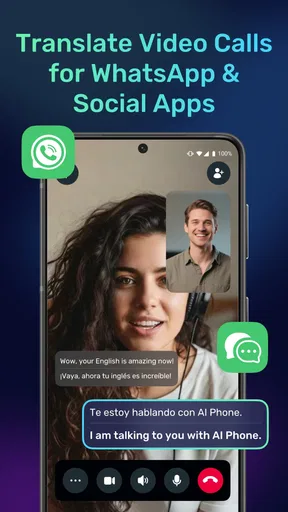
Before I rely on a translator during a call, I want to know what happens when the setup is not quite right. AI Phone:Call&Voice Translator is built for conversations, voice messages and video calls, including use with WhatsApp and other social apps. That makes it a more ambitious choice than a basic phrasebook, but it also means the experience depends on several things working together: the app, the phone, the connection and the way the other person speaks. I find it most useful when I treat it as a communication aid rather than an invisible replacement for knowing the language.
Where calls and translations can get stuck
The main appeal is also where expectations need a little care. A live conversation moves quickly, and translation has to keep up with changing speakers, pauses and unfamiliar words. If someone talks over another person, uses a local expression or speaks in a noisy place, the translated version may be less clear than the original. I would not treat a translated sentence as a perfect record, especially when a call involves an address, a payment or another detail that needs to be exact.
That is not a reason to avoid the app; it is a reason to make the conversation easier to interpret. I would ask the other person to speak in short turns, pause between points and repeat important details in a different way. On my side, I would confirm names, dates and numbers aloud instead of assuming the translation got every syllable right. This small change is useful with any live translator, and it matters particularly when the conversation cannot be replayed at a comfortable pace.
Check the basics before an important conversation
When I am preparing to use a calling or voice translation tool, I avoid making the first attempt during a time-sensitive conversation. I check that the app opens, that I can find the relevant calling or message workflow, and that my phone has a dependable internet connection. I also make sure I know which language I want to use on each side of the conversation. A quick low-stakes test is a better way to discover a setup snag than trying to troubleshoot while someone is waiting on the line.
Permissions and app settings can affect what a communication app can do, so I pay attention to the prompts shown on my device rather than tapping through automatically. If a feature does not behave as expected, I first check that the app is up to date and that the phone’s operating system supports it. AI Phone is listed for devices running Android 10 or later, and version 3.25.0 is the current release. Those details are practical checks, not a promise that every handset or every network will behave identically.
Recover the conversation without starting over
If a translation seems delayed or a call flow gets interrupted, I try the simple recovery steps before repeating the whole setup. I pause, let the other person finish, and ask them to repeat only the last point. If the call has dropped, I check the connection and reopen the app before trying again. For a voice message, I listen to the original where possible and compare its context with the translated wording; a short message can make more sense when I know what came before it.
One practical habit is to keep a key detail in writing. If I am arranging a pickup, for example, I can ask the other person to send the location in a message after discussing it by voice. That gives both people a chance to check the spelling and avoids making a live translation carry the entire burden. It is a sensible backup, not a workaround that makes the app unnecessary: the spoken exchange can still help with questions, tone and clarification.
Worth Reading Before You Choose

Flipboard Shows What News Apps Must Do Beyond the Feed

Switching to Android Auto Means Rethinking Your Driving Routine

Google Calendar Makes a Crowded Week Easier to Manage

Ludo King Makes the Most of the Minutes Between Plans

Baby Panda World Brings Quick Play to Modern Phones, but Its Game Library Feels Busy

ESPN’s Live Game View Makes Following Close Games Easier
When the cause may be outside the app
Not every rough call points to a translation problem. Weak reception, background noise, a crowded room or a phone speaker that is hard to hear can make any conversation difficult. I first try moving somewhere quieter or switching to a steadier connection, then test again with a short exchange. If ordinary calls or other online services are struggling too, it makes more sense to look at the network or device before blaming the translation itself.
The app is free to download, with optional in-app purchases ranging from $2.99 to $99.99 per item. I would check the purchase screen carefully before committing, particularly if I only need translation occasionally. Its Everyone age rating makes it broadly suitable from a content perspective, but that does not mean every translated conversation is appropriate to handle without adult judgment or a second check. The developer is AI Phone, and the app has an average rating of 4.5 from around 73,000 ratings, with more than one million installs. Those figures suggest it has attracted a substantial audience, though they cannot tell me how it will perform on my specific phone or with a particular language pair.
Who will get the most from it
I can see this being useful for someone who regularly speaks with relatives, customers or friends who are more comfortable in another language. A traveler might use it to ask follow-up questions rather than relying only on memorized phrases; someone managing a cross-language conversation in a social app may value having calling and voice-message translation in the same general workflow. It is less compelling if I only need to translate a printed sign now and then, or if I already speak the language well enough to handle calls without assistance.
Compared with a standalone translation tool, the attraction here is its focus on live communication and calls rather than only translating text copied into a box. The trade-off is that a dedicated text translator can be a calmer choice when I need to inspect wording carefully before sending it. For an important legal, medical or financial discussion, I would prefer a qualified human interpreter or a trusted bilingual person. AI translation can help people get started, but a fluent human remains the safer choice when a misunderstanding could have serious consequences.
A realistic way to use it day to day
Imagine I am traveling and need to call a local service about a delayed delivery. Before calling, I make sure I have the correct language choices and a stable connection, then write down the order reference and the one question I need answered. During the call, I speak in short sentences and listen for the translated response. If the other person gives a new time or location, I repeat it back and ask for a written confirmation. This is a practical division of labor: the app helps carry the conversation, while I protect the details that matter.
For casual chats, I would be more relaxed and let the conversation flow, while accepting that humor, slang and personal names may need explanation. For work, I would prepare a few key terms beforehand and avoid putting several requests into one long sentence. Those habits are not special settings; they are ways to give a translation system clearer material to work with. They also make it easier for the other person to correct a misunderstanding without feeling that the whole call has failed.
What’s the Buzz About?
Alright, let's dive right into what makes AI Phone:Call&Voice Translator the talk of the town. Imagine having a personal interpreter right in your pocket! This app promises to break down language barriers by translating your calls and voice messages in real-time. Sounds like something out of a sci-fi movie, right? But it's real, and it's here.
Getting Started
First things first, downloading the app is a breeze. Whether you're on Android or iOS, a quick visit to your app store, and you’re set. Once installed, the setup process is straightforward. The app guides you through permissions and initial configurations, making sure you understand how to use it effectively. No tech wizardry needed here!
Features That Stand Out
Now, onto the juicy bit—features. This app is packed with intuitive functionalities, but here’s what truly stands out:
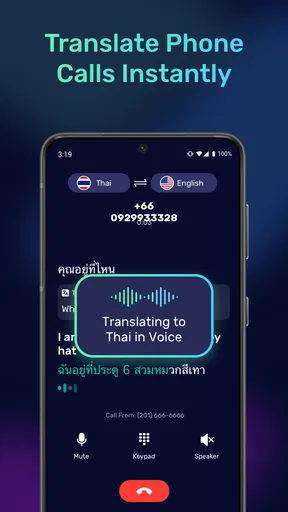
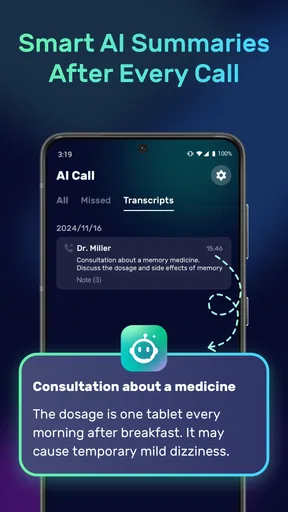
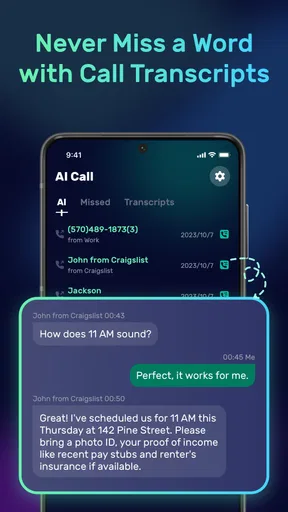
- Real-Time Call Translation: Make and receive calls without the hassle of language confusion. The app translates in real-time, so you can focus on the conversation rather than fumbling over words.
- Voice Message Translation: Got a voice message in a language you don’t understand? No worries. This app translates it for you, ensuring you never miss out on important details.
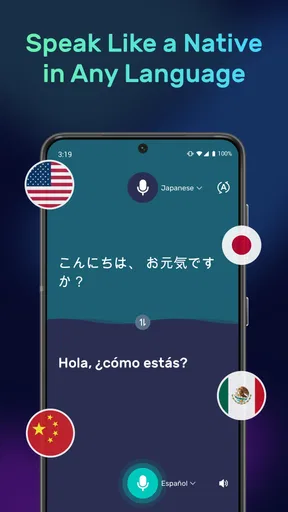
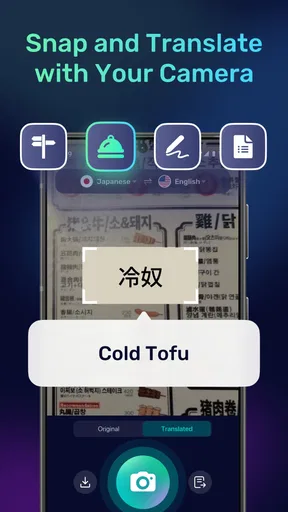
- Multi-language Support: The app supports a plethora of languages, from Spanish and French to Mandarin and beyond. It's like having a mini United Nations right on your phone.
- User-Friendly Interface: Navigating the app is a joy, thanks to its clean and intuitive design. Even if you’re not tech-savvy, you’ll find it easy to use.
Personal Experience
So, I decided to put this app to the test during a call with a friend who speaks fluent Italian. I was a bit skeptical at first, but wow, the translation was so smooth! It felt like having a real-time interpreter, and the conversation flowed naturally. I even tried it with a few voice messages, and the translations were spot on. Seriously, it’s like magic.
Why It Stands Out in the Market
In a sea of translation apps, what makes AI Phone:Call&Voice Translator shine is its reliability and accuracy. We’ve all been there, using an app that butchers the translation—awkward, right? But this one? It’s on point, making it a reliable tool for professionals and casual users alike.
Final Thoughts
In conclusion, AI Phone:Call&Voice Translator is more than just an app; it’s a bridge connecting people from different linguistic backgrounds. Whether you’re a globetrotter, a business professional, or just someone who loves to chat with friends worldwide, this app is a must-have. It’s not just about translation; it’s about making communication seamless and enjoyable.
Curious to try it out? Head over to your app store and give it a whirl. Trust me, you won’t regret it!
Pros
- Accurate real-time translations.
- Supports multiple languages.
- Easy-to-use interface.
- Integrates well with contacts.
- Customizable voice settings.
Cons
- Requires a stable internet connection.
- Limited free translation minutes.
- Subscription cost can be high.
- Occasional voice recognition errors.
- Privacy concerns with call data.
FAQs for AI Phone:Call&Voice Translator
What features does AI Phone: Call & Voice Translator offer?
AI Phone: Call & Voice Translator provides real-time translation during phone calls and voice interactions. It supports multiple languages, making it ideal for international communication. The app also includes a voice recognition feature that ensures accurate translations, and it integrates seamlessly with popular calling apps for a smooth experience.
Is AI Phone: Call & Voice Translator available for both Android and iOS devices?
Yes, AI Phone: Call & Voice Translator is available for download on both Android and iOS platforms. Users can find it on the Google Play Store and the Apple App Store. It is designed to work efficiently across different devices, ensuring that all users can benefit from its features.
How does AI Phone ensure the privacy and security of my calls?
AI Phone: Call & Voice Translator takes user privacy seriously. It employs end-to-end encryption to secure your calls and translations. The app ensures that your conversations remain confidential and no data is stored on its servers, providing peace of mind while using the service.
Are there any subscription fees for using AI Phone: Call & Voice Translator?
AI Phone: Call & Voice Translator offers a free version with basic features. However, for unlimited access and advanced functionalities, a subscription is required. The app provides various pricing plans to suit different needs, ensuring affordability while enjoying premium services.
Can AI Phone: Call & Voice Translator handle complex translations?
Yes, AI Phone: Call & Voice Translator is equipped to handle complex phrases and idiomatic expressions. Its advanced AI algorithms are designed to interpret context and nuances, providing accurate translations even in intricate conversations. This makes it a reliable tool for both casual and professional use.


